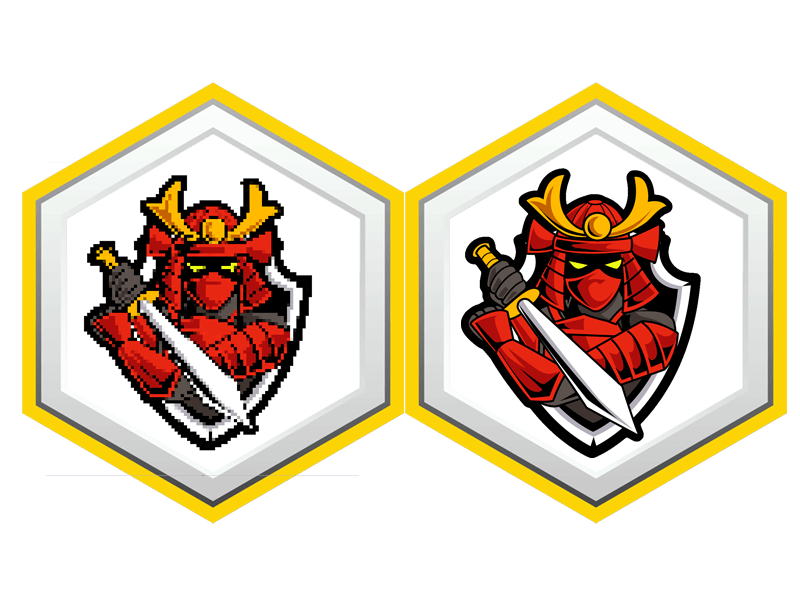
Imagine you’re tasked with digitizing a vibrant logo for a local sports team, aiming for that eye-catching 3D puff effect. You’ll quickly realize that the process isn’t just about importing an image; it requires a keen understanding of stitch types and fabric compatibility. As you navigate through software options and prepare your design, you might wonder what specific settings will make your embroidery truly stand out. Let’s explore the essential steps to guarantee your artwork translates seamlessly into a stunning final product.
Understanding 3D Puff Embroidery
When you explore 3D puff embroidery, you’ll discover a unique technique that adds depth and texture to your designs. This method involves using foam under the embroidery stitches, which creates a raised effect. It’s perfect for making logos and text stand out on caps, shirts, and other fabric items.
To achieve that 3D look, you’ll typically start with a base layer of stitching, followed by carefully placing a piece of foam on top. When you embroider over the foam, it expands, giving your design a plush appearance. This technique not only enhances visibility but also adds an element of tactile intrigue to your work.
One vital aspect to keep in mind is that 3D puff embroidery requires specific types of thread and needle sizes to guarantee the foam is stitched correctly without damaging it. You’ll want to experiment with different foam thicknesses and thread colors to achieve the desired effect.
Choosing the Right Software
When choosing software for 3D puff embroidery, you’ll want to evaluate compatibility with your existing hardware and other programs.
A user-friendly interface can make the digitizing process smoother, so look for features that simplify your workflow.
Let’s explore these essential factors to help you make the right decision.
Software Compatibility Considerations
How do you guarantee the software you choose is compatible with both your artwork and the embroidery machine?
Start by checking the file formats the software can export. Most embroidery machines require specific formats like DST, PES, or JEF. Ensuring the software you select can handle these formats is essential for smooth operation.
Next, consider the artwork types you’ll be digitizing. If your designs involve intricate details or specific color palettes, confirm the software accommodates those features. Look for tools that allow easy manipulation of vector graphics, as this can greatly aid in the digitizing process.
Additionally, verify the software’s compatibility with your operating system. Some programs may only run on Windows or macOS, so knowing your system’s requirements ahead of time saves you from potential headaches.
User-Friendly Interface Features
A user-friendly interface is essential for efficiently digitizing artwork, as it makes maneuvering the software and executing tasks much simpler. When choosing digitizing software, look for intuitive menus and easily accessible tools. If you can quickly find what you need, you’ll save time and reduce frustration.
Consider software that offers customizable workspaces. Tailoring the layout to fit your workflow can enhance your productivity. Additionally, check for features like drag-and-drop functionality, which allows you to easily import your artwork without traversing through complex menus.
Another key feature is the availability of tutorials or guided walkthroughs. These resources can help you get up to speed with the software quickly. You’ll want to avoid software that leaves you guessing, so look for platforms that provide support.
Lastly, try out the software through demos or free trials. This hands-on experience will help you determine if the interface aligns with your preferences. Ultimately, the right software should make the digitizing process smoother, enabling you to focus on creating stunning 3D puff embroidery designs without unnecessary obstacles.
Preparing Your Artwork
To prepare your artwork for 3D puff embroidery, verify it’s in a high-resolution format that captures the details effectively. Aim for at least 300 DPI (dots per inch) to guarantee clarity. Use vector graphics when possible, as they scale without losing quality. If you’re working with raster images, consider adjusting the size before starting to prevent pixelation.
Next, choose bold and simple designs. Intricate details may get lost in the embroidery process, so opt for clean lines and shapes that stand out. Avoid overly thin fonts or complicated patterns; they mightn’t translate well to thread.
Also, think about the colors you’ll use. Limit your color palette to a few complementary hues to maintain visual appeal while simplifying the embroidery process. Remember, 3D puff embroidery adds depth, so verify your colors pop against the fabric.
Lastly, double-check your artwork for any overlapping elements or stray marks. Clean up your design in editing software to create a polished final version. This step is vital, as it sets the foundation for a successful embroidery outcome. With your artwork prepared correctly, you’ll be ready for the next steps in the digitizing process.
Importing Your Design
Once your artwork is polished and ready, importing your design into embroidery software is the next step in the process. This action sets the stage for digitizing your artwork into an embroidery-ready format.
Follow these simple steps to guarantee a smooth import:
-
Choose the Right File Format: Make sure your artwork is saved in a compatible format, like PNG, JPG, or SVG. Each format has its pros and cons, so select one that suits your needs.
-
Open Your Embroidery Software: Launch the software you plan to use. Most programs have an import function, typically found in the file menu.
-
Import the Design: Use the import option to bring your artwork into the software. Check the dimensions and orientation to guarantee it looks just as you intended.
Once your design is imported, you’ll be able to see it on the workspace. This is a critical step, as it allows you to visualize how your artwork will translate into embroidery.
From here, you can start making adjustments before setting up stitch types.
Setting Up Stitch Types
Now that you’ve imported your design, it’s essential to set up the right stitch types for your 3D puff embroidery.
You’ll need to choose appropriate stitch types, adjust stitch density settings, and define the stitch order sequence to achieve the best results.
Let’s break down each of these steps to guarantee your design comes out looking sharp and professional.
Choosing Appropriate Stitch Types
Choosing the right stitch types is vital for achieving a vibrant and textured finish in your 3D puff embroidery. The stitch types you select will greatly influence the overall appearance of your design.
Here are three key stitch types to take into account:
-
Satin Stitch: This type creates a smooth, shiny finish, ideal for outlining and detailing. It works well for small areas where precision is essential.
-
Fill Stitch: Use fill stitches to cover larger areas with color. This stitch type provides a solid look and is perfect for backgrounds or substantial design elements.
-
Running Stitch: This stitch is great for adding delicate lines or accents. It’s versatile and can be used to create intricate designs or to highlight specific features of your artwork.
Adjusting Stitch Density Settings
Adjusting stitch density settings is vital for guaranteeing that your 3D puff embroidery maintains the right balance between coverage and texture. You’ll want to find the sweet spot where your design is filled adequately without overwhelming the puff effect. A higher density can lead to a more solid appearance, but it may also flatten the puff, diminishing that three-dimensional look.
Start by experimenting with your machine’s density settings. For most 3D puff projects, a stitch density between 0.3 and 0.5 mm works best. This range allows the foam to expand properly, creating that desired height. It’s important to test these settings on scrap fabric to see how the stitches interact with the puff foam before committing to your final piece.
Pay attention to the type of thread you’re using, too; thicker threads may require adjustments in density to maintain the effect. Adjusting the density can also change how the stitches lay, so verify the design maintains clarity after you make changes.
Defining Stitch Order Sequence
Defining the stitch order sequence is essential for achieving the best results in your 3D puff embroidery design. The sequence you choose directly impacts how the design comes together, ensuring a clean and professional finish.
To set up the stitch types effectively, follow these steps:
-
Outline First: Start with the outline of your design. This provides a framework and helps maintain the shape of the puff material during the embroidery process.
-
Fill Stitch: After outlining, fill in the larger areas using a fill stitch. This step adds depth to your design and enhances the overall texture, making the 3D effect more pronounced.
-
Detail Stitch: Finally, add any detail stitches. These are the finishing touches that bring your design to life, adding intricate elements that make your embroidery stand out.
Adjusting Density and Underlay
Finding the right density and underlay settings is essential for achieving a clean and vibrant 3D puff effect in your embroidery.
Start by adjusting the density of your stitches. A lower density allows more fabric to show through, creating a more pronounced puff. Typically, you’ll want to aim for a density of around 2.5 to 3.5 stitches per millimeter. Test different densities to see what works best with your design.
Next, focus on the underlay. Proper underlay helps stabilize the fabric and provides a solid foundation for the puff. You can use a combination of running and zigzag stitches for the underlay. A zigzag stitch can help hold down the edges of the foam, while a running stitch can provide additional support.
Also, consider the placement of your underlay. It should cover the entire area where the puff will be applied, ensuring that the foam stays in place and doesn’t shift during the embroidery process.
Configuring Puff Settings
When configuring puff settings, you need to focus on ideal stitch density, thread type selection, and design layering techniques.
These factors play an essential role in achieving a clean, high-quality finish for your 3D puff embroidery.
Let’s break down each point to guarantee your artwork looks its best.
Optimal Stitch Density
Achieving the right stitch density is vital for ensuring your puff embroidery looks sharp and maintains its structure. If you don’t get this right, your design might end up looking flat or overly bulky. To find that sweet spot, you’ll need to take into account a few key factors.
Design Complexity: If your design features intricate details, a higher stitch density may be necessary to capture those nuances. However, too many stitches can lead to a cluttered look.
Fabric Type: The type of fabric you’re using will influence your stitch density. Thicker fabrics generally require a lower density to prevent distortion, while thinner fabrics can handle a tighter stitch.
Puff Foam Thickness: The thickness of the puff foam you choose plays an important role. Thicker foam typically requires a lower stitch density to maintain the puff effect, while thinner foam can work with a higher density.
Thread Type Selection
Selecting the right thread type is key to configuring your puff settings effectively and ensuring your embroidery design stands out.
When choosing a thread, contemplate materials like rayon, polyester, or cotton. Rayon offers a vibrant sheen, making it a popular choice for eye-catching designs. Polyester is durable and resistant to fading, ideal for designs exposed to the elements. Cotton provides a classic look but may not hold up as well in high-stress areas.
Next, think about the thread weight. Thicker threads can create a more pronounced puff effect, while thinner threads might result in a subtler finish. Match the thread weight to your design’s complexity and the fabric you’re using.
You’ll also want to contemplate the color of your thread. Bright, contrasting colors can help your design pop against the background fabric, while tones that blend in can create a more muted effect.
Design Layering Techniques
To create an engaging puff embroidery design, you need to layer your artwork strategically, ensuring each element stands out while maintaining a cohesive look. This process involves adjusting the puff settings in your digitizing software to enhance the dimensionality of your design.
Here are three key techniques to evaluate:
-
Base Layer: Start with a solid base layer that establishes the foundation of your design. This layer should be the first to stitch out, providing stability for the puff elements above it.
-
Puff Elements: Next, incorporate your puff elements. These should be layered atop the base, using thicker threads to give them the desired height. Make sure to adjust the density and underlay settings to support the puff effect without overwhelming the base.
-
Top Layer Details: Finally, add any intricate details or text on top. These elements should be finer, ensuring they don’t compete with the puff sections but rather complement them.
Testing the Design
Once you’ve created your digital design, it’s essential to test it on a sample fabric to guarantee it translates well into the 3D puff embroidery format.
Start by selecting a fabric that closely resembles your final product. This will help you assess how the design will look when stitched on the actual material.
Next, load your design into your embroidery machine and adjust the settings based on your fabric’s characteristics. Pay attention to the stitch density, as too dense can lead to puckering, while too sparse mightn’t achieve the desired puff effect.
Run a test stitch-out to see how your design performs.
Once the stitching is complete, carefully examine the sample. Check for any areas that might need adjustments, like outlines that could be thicker or sections that need more definition.
Don’t be afraid to make tweaks—testing is all about refining your design to perfection.
Finalizing the Digitized File
Before you save your digitized file, review the design for any final adjustments that could enhance its appearance and functionality in the 3D puff embroidery process. This step is essential to guarantee that your artwork translates well into the final product. Focus on key areas that can impact the outcome.
Here are three important aspects to take into account:
-
Stitch Density: Check the stitch density throughout the design. Verify it’s appropriate for puff embroidery, allowing the foam to expand and hold its shape without excessive compression.
-
Underlay Stitches: Confirm that your underlay stitches are set correctly. Proper underlay provides support and stabilizes the fabric, preventing distortion during the embroidery process.
-
Color Matching: Review the color palette used in your design. Make sure it aligns with the thread colors available for your embroidery machine, as this will affect the final appearance.
Tips for Successful Embroidery
Reviewing your digitized file sets the stage for successful embroidery, so keep these tips in mind to guarantee a smooth and high-quality process.
First, double-check your thread colors. Choose shades that accurately represent your design and verify that they complement each other well.
Next, use the proper stabilizer for your fabric. A suitable stabilizer prevents puckering and helps maintain the design’s shape during the embroidery process.
When you load your design into the embroidery machine, adjust the tension settings. Proper tension is essential, as it affects stitch quality. Test your design on a scrap piece of fabric before moving to your final product. This allows you to make any necessary adjustments without risking your actual garment.
Pay attention to needle selection, too. Use a needle that matches your thread type and fabric weight for ideal results.
Conclusion
By following these steps, you’ll create stunning 3D puff embroidery designs that stand out.
You’ll choose bold artwork, you’ll adjust stitch types, and you’ll test your designs for perfection.
With careful preparation and attention to detail, you’ll guarantee your final product isn’t only visually appealing but also durable.
Embrace the process, experiment with your creativity, and enjoy the satisfaction of transforming your artwork into a vibrant embroidered masterpiece that truly pops!
Frequently Asked Questions
What File Formats Are Best for 3D Puff Embroidery Designs?
For 3D puff embroidery designs, you’ll want to use file formats like DST, PES, or EXP. These formats guarantee compatibility with embroidery machines, allowing for the best quality and precision in your designs.
How Do I Ensure Color Consistency in My Designs?
To guarantee color consistency in your designs, use the same color profiles across all software. Monitor your colors on calibrated screens, and always test prints before finalizing to maintain accuracy in your designs.
Can I Use Photographs for 3D Puff Embroidery?
Sure, you can use photographs for 3D puff embroidery, but it’s tricky. Just like trying to fit a square peg in a round hole, you’ll need to simplify and adapt the photo for embroidery.
What Is the Best Fabric for 3D Puff Embroidery?
For 3D puff embroidery, you’ll want to use materials like cotton twill or polyester. These fabrics provide the right texture and durability, ensuring your designs pop and withstand wear while maintaining a professional look.
How Can I Troubleshoot Common Embroidery Issues?
So, you thought embroidery was just a leisurely pastime? When troubleshooting, check your tension, confirm the right needle’s in place, and rethread your machine. It’s not rocket science, but it can feel like it sometimes