Should You Learn Embroidery Digitizing or Hire a Professional?

customized image.png

30

Jun
Jun 30, 2025

Learning embroidery digitizing isn’t just about picking the right software or dragging a few lines across a screen. It’s about building technical confidence, creative finesse, and understanding exactly how stitches interact with fabric, tension, and motion.

At Embpunch, we’ve digitized tens of thousands of custom embroidery designs for global clients, from clean logos for uniforms to complex gradients on custom patches, and we’ve seen one consistent truth: the quality of your digitizing makes or breaks the final product.

So, if you're serious about getting better at embroidery digitizing (whether to DIY or to understand what quality work looks like), here's what you absolutely need to know.

Here Are the Details To Learn Embroidery Digitizing

Properly Use the 3 Stitch Types: Run, Satin, and Fill

These three stitches are the heart of every embroidery file. And believe it or not, the way you choose and apply them can be the difference between “just okay” and “wow.”

Run stitches: These are your fine liners. Perfect for outlining or fine details, especially in small logos.

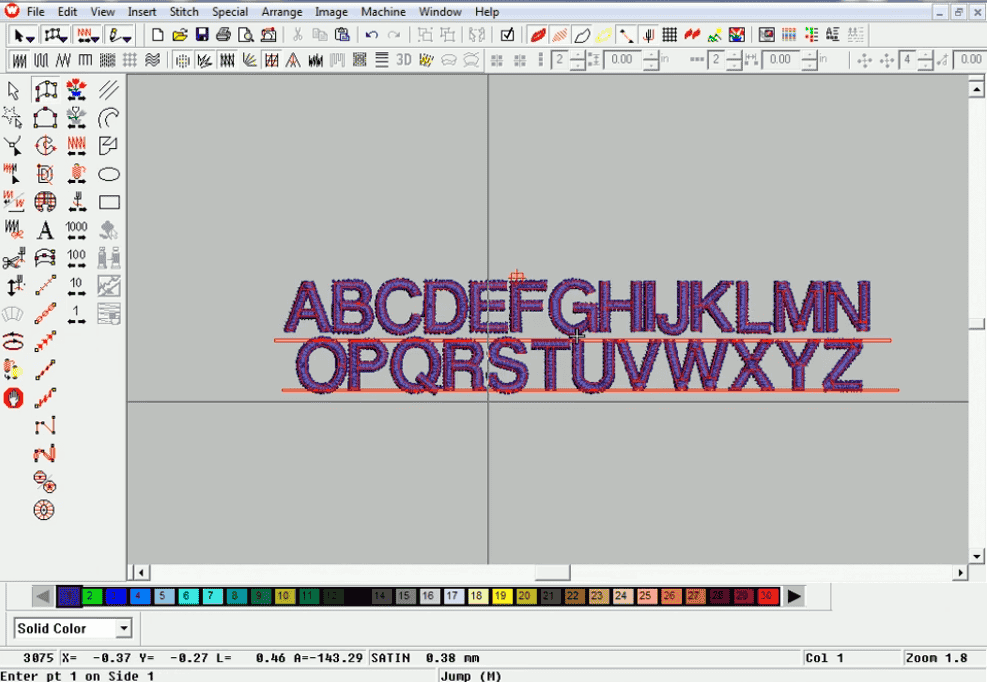
Satin stitches: Use them when you want texture and dimension. Great for borders and letters (but not too wide, or they’ll snag).

Fill stitches: Ideal for large filled spaces. But get the density wrong, and you’ve got a stiff patch that feels like cardboard.
 

Knowing when to use each is half the battle. But how you use them. That’s where the artistry begins.

Know What Stitch Type to Use for Every Object

If you’re digitizing a design with a mix of text, shapes, and fine details, you can’t treat every element the same.

A thin outline? That’s a job for a run stitch. A bold initial? Satin stitch will shine. A large background fill? That’s where fill stitches step in.

It’s like painting. You wouldn’t use a roller brush for eyebrows, right?

Plan Your Digitizing Order from the Start

One of the earliest mistakes many digitizers make (yes, we’ve been there) is digitizing out of order. And then... wondering why the design stitched like a jigsaw puzzle assembled backward.

The secret? Digitize back to front and center outward.

Think about:

What appears behind what?

Can this object anchor the rest?

Will this sequence minimize jumps and trims?
 

Digitizing isn’t just about drawing stitches. It’s choreography.

Avoid Density Overkill (aka Bulletproof Embroidery)

Ever seen embroidery that looks perfect but feels like armour? That’s a density problem.

Designs that are too dense not only look unnatural, they make the fabric stiff, and your machine works overtime (or breaks needles).

Here’s how to avoid it:

Stick to recommended densities (satin: 0.4mm; fill: 0.35mm).

Use underlay stitches to support the top layer instead of doubling it.

Use thread simulation tools before exporting.
 

At Embpunch, we call this the “flex test.” If your patch can bend, it’s breathable. If not? Back to the file.

Eliminate Gaps Between Objects

Gaps between elements. Like letters floating away from their fill are more common than you’d think.

You might digitize two perfectly aligned shapes on screen, but once that needle hits fabric, pull distortion happens. That’s why we:

Overlap adjacent objects slightly (1-2 pixels is often enough)

Apply pull compensation to widen the shape slightly

Use edge run underlay to lock in outlines
 

Trust us. Don’t assume your design will stitch exactly as it looks. It never does.

Fix Registration Issues Before They Ruin Your Stitch Out

Misalignment (or “registration issues”) can be frustrating, especially when your white border doesn’t align with the colored fill. It makes your design look rushed and amateur.

Here’s how to beat it:

Digitize objects in logical sequence (backgrounds first, outlines last)

Use stabilizers to prevent fabric movement

Choose the right stitch angles so pieces lock into each other
 

Pro tip: Simulate the design in your software and zoom in, you’ll spot shifts you’d miss on screen.

Prevent Fabric Puckering Like a Pro

There’s nothing worse than a design that puckers after one wash. It looks cheap and feels sloppy.

Avoid it by:

Using the right underlay (yes, again!)

Not stretching fabric in the hoopm, taut but not tight is the rule

Choosing a stabilizer that matches your fabric type

Avoiding excessive stitch density
 

Embroidery isn’t just about aesthetics. It’s about respecting the fabric.

Master Underlay Stitches for Smoother Results

Underlay stitches are like the silent workers behind every beautiful design. They stabilize, lift, and sharpen top stitches.

There are three main types:

Center run (basic structure)

Edge run (locks outlines)

Zigzag or Tatami underlay (used under satin/fill for extra coverage)
 

Think of them as the foundation of your embroidery house. Skip them, and the whole thing wobbles.

Path Between Objects Strategically

Jump stitches aren’t just annoying. They’re inefficient. Planning how your machine travels from one object to the next is essential for smooth production.

Use walk stitches to connect elements invisibly

Avoid backtracking unless needed

Digitize in a way that follows natural reading paths (left to right, top to bottom)
 

This helps reduce thread breaks, trims, and wasted machine time.

Manually Digitize Letters When Fonts Won’t Work

Sometimes, the client wants a font your software doesn’t have, or the letters are part of a logo image.

In that case, it’s time to digitize each letter by hand:

Trace the letterform as a vector

Assign proper stitch types and directions

Consider the letter width for choosing between satin and fill
 

Yes, it takes longer. But it also looks way better, especially at small sizes.

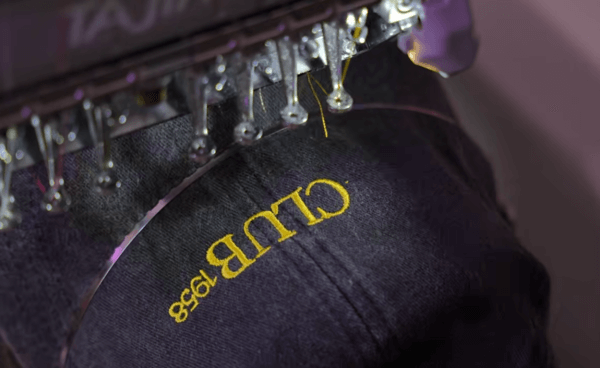
Digitize Specifically for Hats

Caps aren’t flat. They curve, have center seams, and have limited embroidery height. That means digitizing hats is its own game.

Key rules:

Digitize center out, not left to right

Use short stitch lengths to minimize distortion

Avoid designs taller than 2.25 inches

Keep lettering bold, thin fonts sink into the cap surface
 

We’ve digitized thousands of hat embroidery designs at Embpunch, and trust us: the way it’s stitched is nothing like shirts or patches.

Create Smooth Color Blends (Yes, It’s Possible)

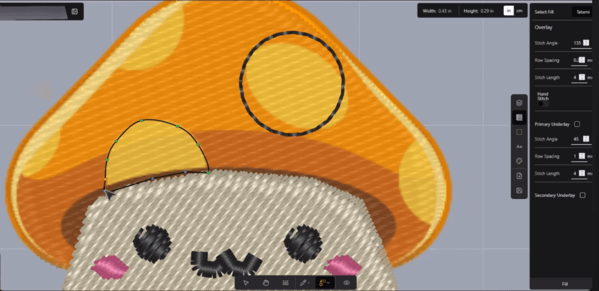
Color blending in embroidery isn’t like Photoshop. It’s done by manipulating stitch angle, density, and layering.

To blend:

Use multiple layers of fill with slightly different angles

Choose analogous thread colors (think: coral to red, not blue to yellow)

Gradually reduce stitch density in transition zones

Not every blend works, but when it does, it’s stunning. Think of it as embroidery’s version of a soft fade.

Teach Yourself by Reproducing Real Techniques

Finally, the best way to grow is to replicate what works. Study professional stitch-outs. Deconstruct DST files. Watch slow-motion embroidery videos. Mimic techniques like:

Raised satin columns

Carved fills

Light run work for watercolor effect

Digitizing isn’t about reinventing every time. It’s about building a toolbox of trusted tricks and knowing when to use them.

Summing Up: Why Hiring A Professional Digitizer Matters

Embroidery digitizing is not just the technical dictionary stuff. It’s a unique system where design, detail, and durability intersect. Whether you're stitching for fun, profit, or passion, learning how to digitize (or working with professionals like us at Embpunch) ensures every thread has a purpose.

We’ve been helping brands, creators, and businesses translate their ideas into stitch-perfect results since 1989. If you're not ready to learn it yourself, or if you're looking for reliable digitizers, we’re here to help.

Need a design digitized?

Contact Embpunch today and let us bring your vision to life, stitch by stitch.


Get Quote

within an Hour

Embroidery-Digitizing-Services
Top Notch Embroidery Digitizing Services

Easy to manage Digitizing Orders from your simplified control panel, Fast 3-12 Hrs Turnaround. Sewout facility available. Get free trial now

Create Account
Embroidery-Digitizing-Services
Affordable Vector Conversions

convert your images into print ready crisp vector arts, quick turnaround and cheap rates. Signup today.

Create Account
Upload Your Design & Get a Free Quote Now